Products

Featured products

  • 90W Black 18 Inch Pedestal Fan with Remote Control
    90W Black 18 Inch Pedestal Fan with Remote Control
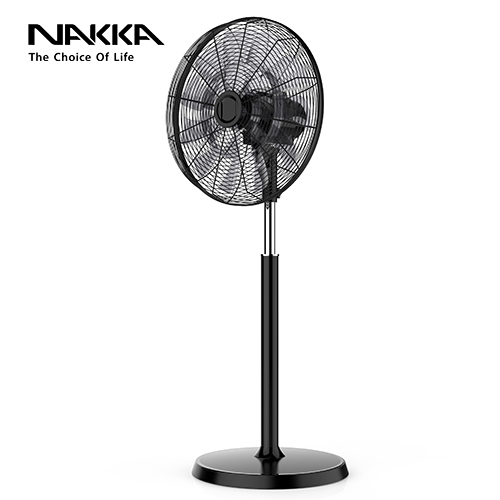
    This product is 18 inch pedestal fan with dc motor and remote control. The color is black.
    More
  • 90W Remote Control Wall Hanging Fan
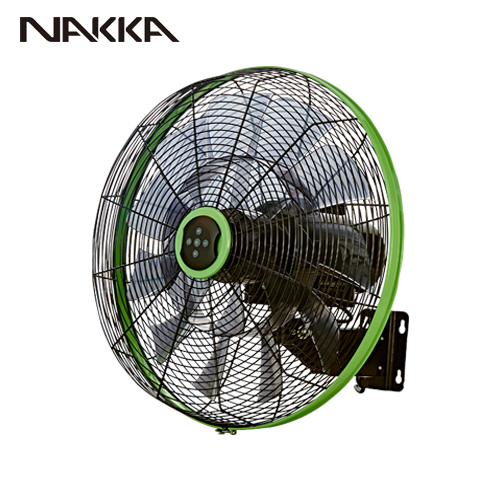
    90W Remote Control Wall Hanging Fan
    90W Remote Control Wall Hanging Fan using advanced BLDC motor is energy saving, low noise, durable, and smart control, especially suitable for office or home and other scenarios use. The fan has three smart modes: 9 hours timer setting, natural wind, sleep wind mode and 6 speed settings to meet your various usage needs. The design of 18 fan blades makes the wind cut more uniform, the air output softer, providing a more comfortable body feeling, and the air supply range wider. The angle of the fan head is up to 90 degrees from left to right and up to 35 degrees from top to bottom.
    More
  • WiFi Smart Control Oscillating Floor Fan
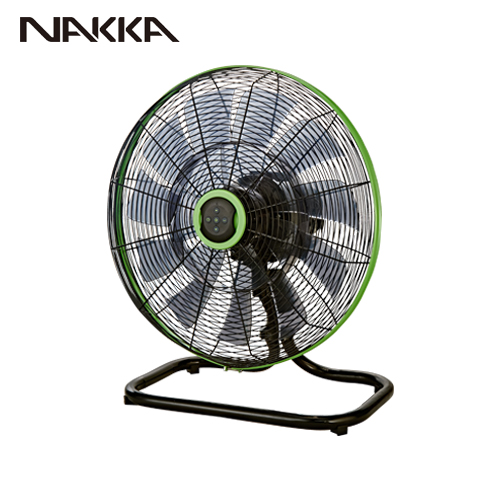
    WiFi Smart Control Oscillating Floor Fan
    This model is wifi control 18 inch commercial floor fan with 6 wind speed settings, natural wind mode, sleeping mode and 9 hours timer. A variety of functions to meet your needs in different scenarios. It supports to work with Google Assistance and Amazon Alexa, which belongs to voice control. It can be operated by a smart phone by installing the smart life application. It also supports with RF remote control.
    More
  • Quiet Air Wall Fan with Voice Control
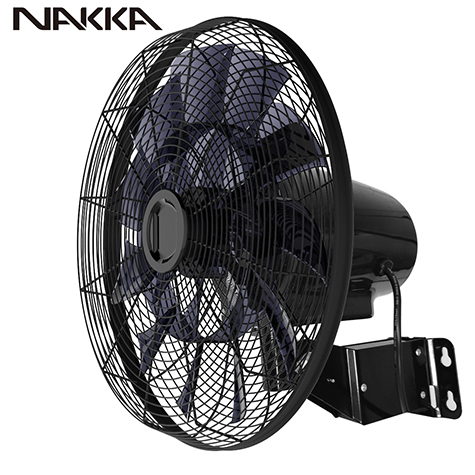
    Quiet Air Wall Fan with Voice Control
    (Model: FW45-DC17ARL-W) Quiet Air Wall Fan with Voice Control is a Wi-Fi Control 18 inch wall hanging fan. This model supports voice control, which can work with Amazon Alexa and Google Assistance. Only by your smart phone or smart device can operate the fans placed at your home or business place so that to create a smart home environment for you!
    More

Contact us

Installation Method of Wall Fan

2022-06-16

Installation method of 18 inch oscillating wall fan 

NAKAA 18 inch wall fan with remote control and can be added wifi function. 

wall fan

1. Installation of the motor and remote control holder on the wall 

a . Remove the motor from the packaging. 

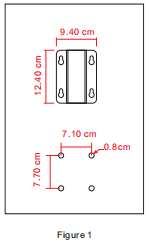
b . Place the wall fan at the desired place for installation, then drill four holes on the wall with the measurement shown in (figure 1). 

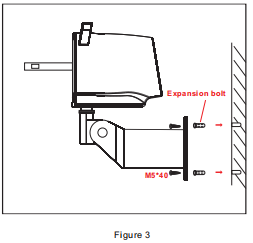
c . Align the four holes on the DC motor frame to the four holes on the wall, then insert the expansion bolt into the four holes and insert the four M5*40 screws into the holes and tighten securely (figure 3) . 

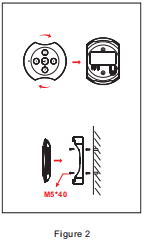
d .Place the remote control holder at the desired place for installation, then drill four holes on the wall with the measurement shown in (figure 2). Then take the M3*20 screws and tighten securely. 
wall fan with remoteoscillating wall fan wall fan

2. Assembly of Net Cover and Fan Blade. 

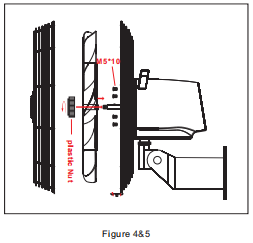
a.Assembly of rear net cover: -Remove the Nut of the blade and four M5*10 screws from the front of motor. 

-Align the four small holes of the rear net cover to the four screw holes of the motor. 

-Use the four M5*10 screws to secure the rear cover to the motor (figure 4). 

b.Assembly of blade: -Remove the protective sleeve on the motor shaft. 

-Insert the centre of the blade into the motor shaft and take the plastic Nut and tighten on an anti-clockwise direction (figure 5) . 

c.Assembly of front cover: 

-Loosen the screw at the bottom of the net cover. 

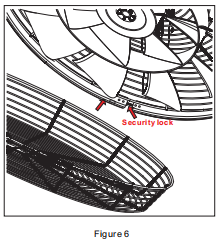
-Place the security lock downwards, then insert the front cover into corresponding position of the net frame. 

-Adjust the alignment of the front and rear net cover carefully. 

-Then tighten the screw of the security lock (figure 6).
wall fan with remoteoscillating wall fan

Contact us

top